×
LEARNER PORTAL Sign in to continue. Use your DMP learner account to access courses and certificates.
New learner? Create your learner account or register securely during checkout.
VAT is calculated and shown separately at checkout.
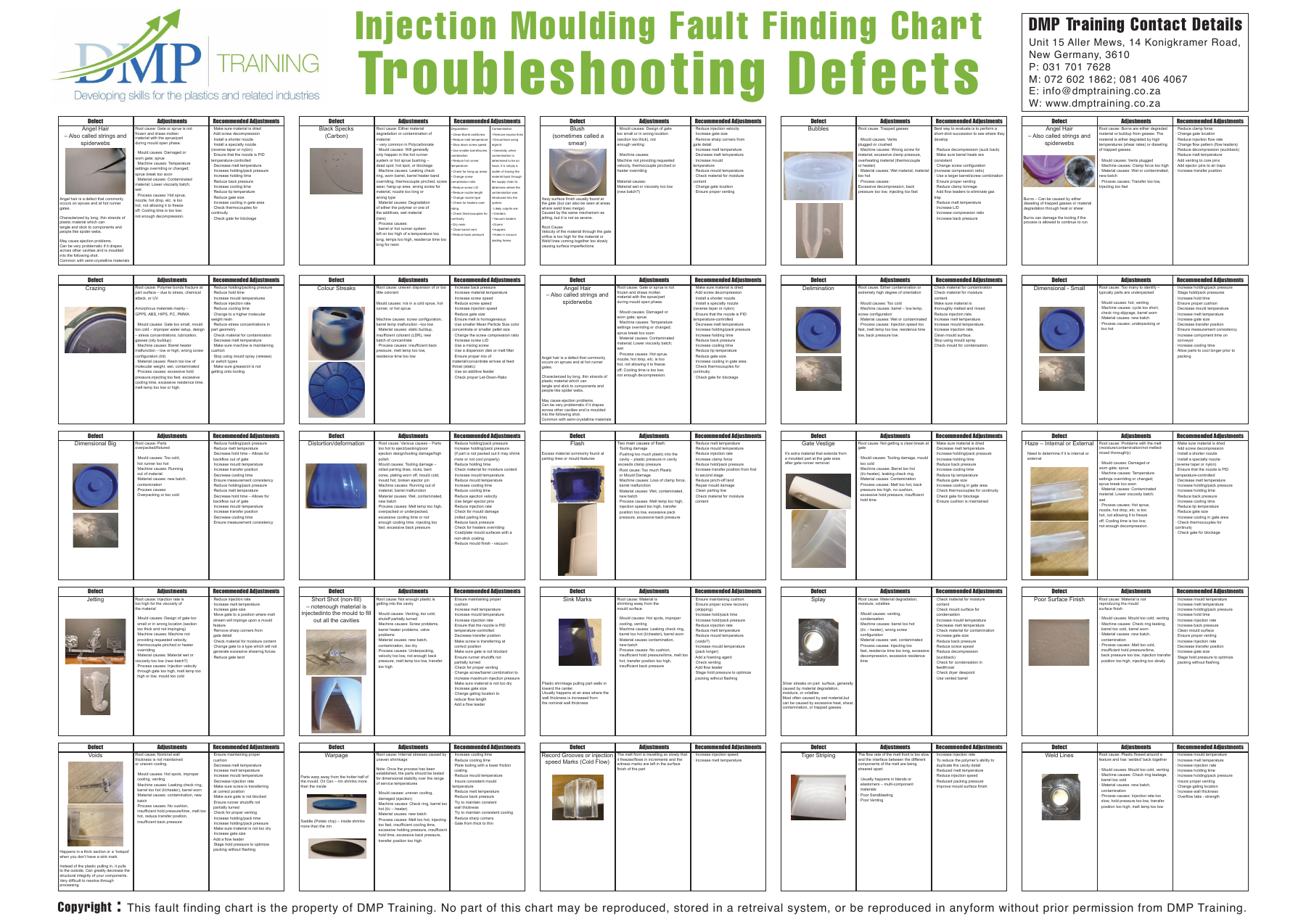
PREVIEW DMP TECHNICAL DOWNLOAD Injection Moulding A practical A0 troubleshooting reference covering 24 common moulding defects, likely causes and prioritised corrective actions.
DIGITAL A0 PDF - EXCLUDING VAT R695 Secure checkout via Payfast
Buy and download → High-resolution printable A0 PDF 24 injection moulding defects Root-cause and corrective-action guidance Available from My Account after payment GET IT FREE WITH TRAINING Register for Injection Moulding Machine Setting. The chart is automatically added to your order free of charge when you purchase either the Basic or Advanced Injection Moulding Machine Setting course.
BUILT FOR THE PRODUCTION FLOOR
Diagnose consistently. Use the chart as a quick-reference training aid for setters, technicians, supervisors and manufacturing teams.
01 Identify the defect Recognise common moulding symptoms using a clear indexed layout.
02 Confirm likely causes Check material, machine, mould and process contributors systematically.
03 Prioritise action Change one variable at a time and verify the result before continuing.
? Help & tour
Visual overview
Learners
Employers
Administrators
01 · DISCOVER Browse accredited training Explore skills programmes and occupational qualifications, open programme PDFs and compare course details.
Courses · Learnerships · Downloads 02 · PURCHASE Enrol securely online Add a course to the basket, review VAT separately, register or sign in, then complete the Payfast checkout.
Basket · VAT · Payfast · Confirmation 03 · LEARN Continue from the learner dashboard Open enrolled courses, watch lesson videos, complete activities and track progress from one branded learner area.
Lessons · Videos · Progress · Results 04 · CERTIFY Receive and verify certificates Completed learners can download their certificate. Employers can validate it using the unique certificate ID.
Automatic issue · Download · Verification 05 · PLAN Build a corporate training estimate Select the programme, learner count and delivery method to model fees, group savings and VAT.
Indicative quote · Group pricing · VAT 06 · REPORT Track workforce learning Filter employer reporting by site and period, review compliance and completion, then export the report to CSV.
Sites · Completion · Compliance · Export 07 · MANAGE Run the platform from WordPress Administrators manage courses, lessons, learners, orders, certificates, branded emails and enquiries.
LearnDash · WooCommerce · Users · Email
← Play overview → 1 / 7
01 Create an account Use Learner login, My Account or checkout registration. Your email address becomes your learner identity.
02 Buy a course Add courses to the basket, confirm the VAT-inclusive total and complete secure Payfast payment.
03 Start learning Open My Learning, select a course and work through lessons, videos, downloads and assessments.
04 Track progress The learner dashboard shows enrolled courses, completion, certificates and learning points.
05 Earn a certificate When all required course steps are complete, download the branded certificate from your course profile.
06 Get help Use the contact page for enrolment, course access, certificate or payment assistance.
01 Plan training Open the Corporate quote builder and model programme, learner numbers, delivery and VAT.
02 Request a formal quote Send the estimate to DMP Training for needs analysis, dates and final accredited programme pricing.
03 Monitor teams Employer reporting tracks active learners, completion, certificates and compliance across sites.
04 Export reports Filter by location and reporting period, then download a CSV for HR or compliance records.
05 Verify credentials Enter the unique ID printed on a learner certificate to confirm the achievement details.
06 Arrange workplace delivery Use the enquiry form for on-site training, group enrolment and tailored learning pathways.
01 Courses and lessons Use LearnDash LMS to create courses, add lessons and topics, upload videos and configure completion rules.
02 Products and pricing Use WooCommerce Products to set prices, course images, descriptions and course-to-product access.
03 Learners and access Use Users and LearnDash reporting to enrol learners, review progress and manage roles.
04 Orders and payments Use WooCommerce Orders to review payments, customer details, refunds and enrolment status.
05 Certificates and reports Configure LearnDash certificates, completion requirements and management reports.
06 Emails and enquiries Use Appearance → Email Branding for previews. Contact enquiries are delivered using DMP templates.
07 Website content Edit pages and programme information in WordPress while the theme preserves the approved design.
08 Maintenance Keep WordPress and plugins updated, monitor backups and test checkout after payment-related changes.
 PREVIEW